
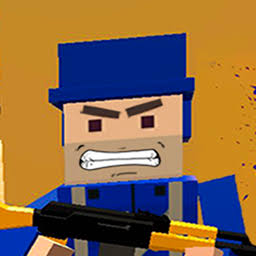
Play Battlefeel online free. Join the red or blue army, capture battlefield points, unlock new weapons, and fight alongside bots on foot or in tanks, helicopters, jeeps, and quad bikes.
How to Play Battlefeel
Battlefeel is a 3D first-person shooter where red and blue armies compete to control bases across the map. Begin in the Battle menu, select a battlefield and side, adjust the battalion size and bot count, and optionally enable Assault or Reverse mode. Select To Battle, choose a deployment point on the tactical map, and enter the fight with your starting equipment. Capture marked points and defend them with nearby teammates. The minimap shows objectives, friendly positions, and enemy-held areas, so check it before crossing open ground or choosing the next base to attack. Eliminating enemies while your side controls more bases increases the experience you earn. Use that progress in the Arsenal to unlock additional weapon slots, firearms, and vehicles. Fight on foot with assault rifles, sniper rifles, grenade launchers, rocket launchers, and other weapons. Move with WASD, aim with the mouse, fire with Left Click, aim more precisely with Right Click, and reload with R. Press Q or E to tilt around cover, C to crouch, Space to jump, and Shift to run. Switch weapons with the mouse wheel or number keys 1 through 6, check the score with Tab, open the Arsenal with Enter, and return to the menu with Backspace. Press F to enter or exit a tank, jeep, quad bike, or helicopter. In vehicles with multiple positions, use 1, 2, and 3 to change seats. Helicopters use W and S to adjust altitude, A and D to tilt sideways, and the mouse to turn and raise or lower the nose. Larger bot counts produce busier battles but require more processing power, so lower the battalion size or bots on the map if performance drops. A current desktop browser with a keyboard and mouse is recommended.
Game Controls
WASD - Move Mouse - Look and aim Left Click - Shoot Right Click - Aim R - Reload Space - Jump Shift - Run Q / E - Tilt left or right C - Crouch F - Enter or exit a vehicle Mouse Wheel or 1-6 - Change weapons Tab - Battle statistics Enter - Arsenal Backspace - Menu 1 / 2 / 3 - Change vehicle seat Helicopter: W / S - Gain or reduce altitude Helicopter: A / D - Tilt left or right Helicopter: Mouse - Turn and tilt the nose
Tips for Battlefeel
- Capture and defend bases instead of chasing every enemy, because controlling more objectives improves the experience earned from eliminations.
- Check the minimap before leaving cover so you can move toward a useful objective instead of an isolated firefight.
- Use Q and E to tilt around corners and expose less of your character while aiming.
- Choose a vehicle for the task: tanks provide heavy firepower, while jeeps and quad bikes move quickly between objectives.
- Press F to enter a vehicle and use 1, 2, and 3 to switch seats when another position offers a better weapon or view.
- Reduce the battalion size or bot count if a crowded battle slows down your browser.
Why We Recommend This Game
Battlefeel combines customizable red-versus-blue bot battles with base-capture objectives, unlockable weapons, several maps, infantry combat, and drivable tanks, helicopters, jeeps, and quad bikes.
Comments