
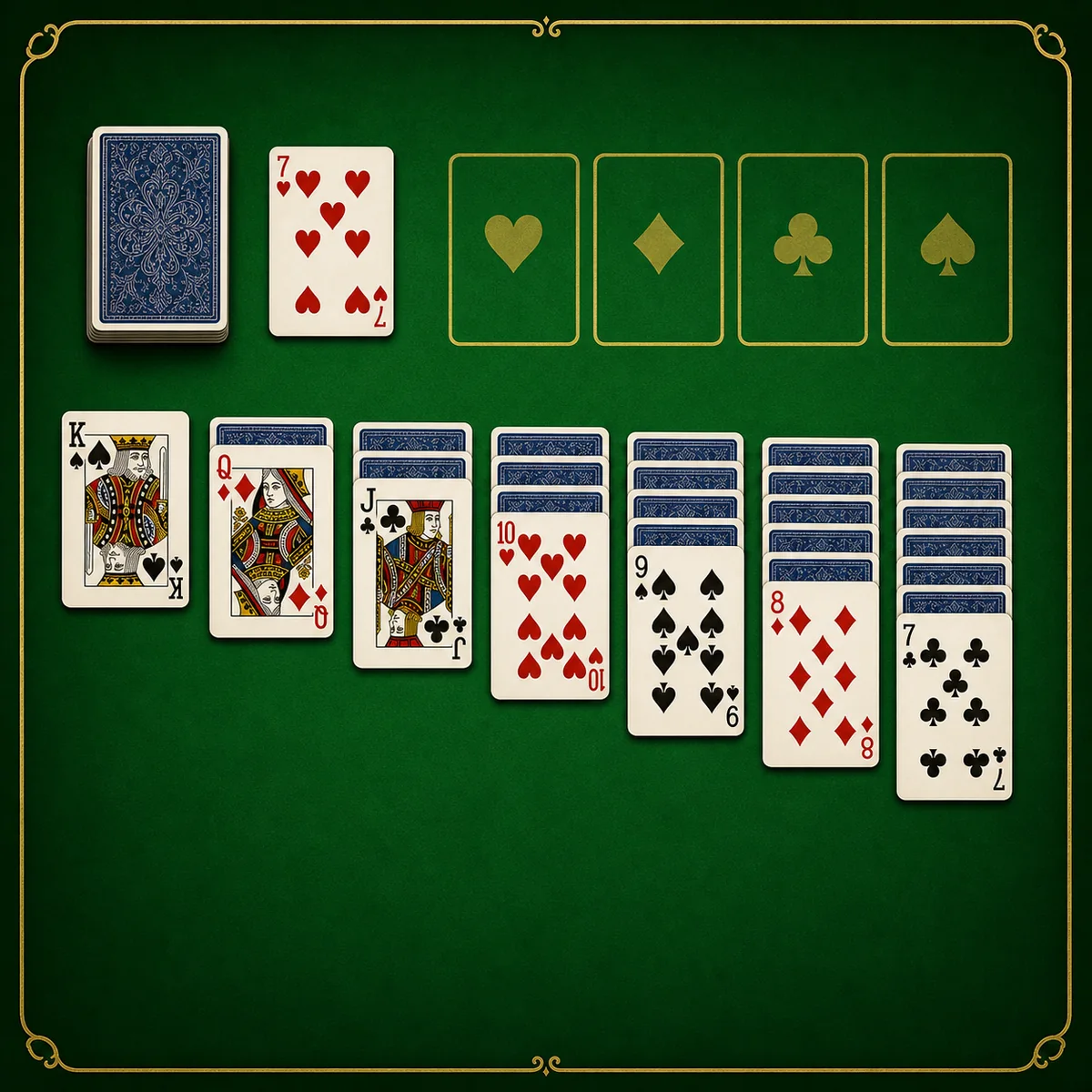
Play Classic Solitaire online free on Pizza Edition. Clear a Klondike tableau with Draw One or Draw Three rules and build each suit from Ace to King.
How to Play Classic Solitaire
Deck — Classic Solitaire uses one standard 52-card deck with no Jokers. Setup — Seven tableau columns receive one through seven cards from left to right. Face-up cards — Only the top card of each tableau column starts face up; every card beneath it starts face down. Stock and waste — Undealt cards form the stock at the upper left, with the waste pile beside it. Foundations — Four empty foundation piles appear across the top, one for each suit. Goal — Move all 52 cards to the four foundations to win. Tableau order — Build tableau columns downward one rank at a time while alternating red and black. Tableau example — A black Jack may go on a red Queen, but not on a black Queen or any Jack. Single-card moves — A face-up card may move to a tableau card that is one rank higher and the opposite color. Sequence moves — A complete face-up sequence may move together when every card is already in descending, alternating-color order. Turning cards — When a move exposes a face-down tableau card, turn that newly uncovered card face up. Empty columns — Only a King or a valid sequence led by a King may enter an empty tableau column. Foundation start — Each foundation must begin with the Ace of its suit. Foundation order — Build each foundation upward in the same suit from Ace through King. Foundation shortcut — Double-click an eligible face-up card to send it to a legal foundation automatically. Foundation return — The top card of a foundation may be dragged back to a legal tableau column when needed. Default deal — On a fresh browser, the stock uses Draw One. Drawing cards — Click the stock to place the next card face up on the waste pile. Waste rule — Only the top waste card is available to play on a tableau column or foundation. Default recycling — When the stock is empty, click its position to return the waste to the stock; recycling is unlimited by default. Draw Three — Enable Deal Three in the gear menu to deal up to three cards per stock click; only the top waste card remains playable. Three-pass limit — Enable Deck Reset Limit to restrict the game to three passes through the stock. Saved settings — Deal Three, Deck Reset Limit, and Auto Complete choices are stored in the browser for later games. Auto Complete — Auto Complete is enabled by default and helps finish available foundation moves after blocked tableau cards are cleared. Undo — Use Undo to reverse the most recent recorded move. New Game — New Game abandons the current layout, shuffles the deck, and deals a fresh game. Timer — The timer tracks the current game, and the fastest completed time is saved locally. Winning — The game ends in a win when every suit is complete from Ace through King on the foundations.
Game Controls
Click the stock - Deal one card by default, or three when Draw Three is enabled Click or drag a face-up card - Move it to a legal tableau column or foundation Drag the first card of an ordered sequence - Move the complete face-up sequence Double-click a playable card - Send it to a legal foundation automatically Touchscreen - Tap or drag cards and controls New Game - Shuffle and deal a new game Undo - Reverse the most recent recorded move Gear button - Toggle Auto Complete, Deck Reset Limit, and Deal Three Speaker - Adjust or mute sound
Tips for Classic Solitaire
- Prioritize moves that expose a face-down tableau card, even when another move would send a card directly to a foundation.
- Do not fill an empty column automatically; save it for a King or King-led sequence that opens useful cards elsewhere.
- Build the four foundations at a similar pace so low cards of both colors remain available for tableau moves.
- Check every tableau column before drawing from the stock, especially after revealing a new card.
- Use Undo to compare two possible sequences when a move blocks access to a needed card.
- In Draw Three, track the order of the waste cards because changing which cards you play changes what becomes available on the next pass.
- If the Deck Reset Limit is enabled, plan around three stock passes instead of assuming the waste can be recycled indefinitely.
Why We Recommend This Game
This version supports both Draw One and Draw Three Klondike, optional three-pass stock limits, foundation double-clicks, Auto Complete, Undo, a visible timer, and locally saved best times. Moving foundation cards back to the tableau also gives players room to correct an early foundation move instead of immediately abandoning the deal.
Comments