
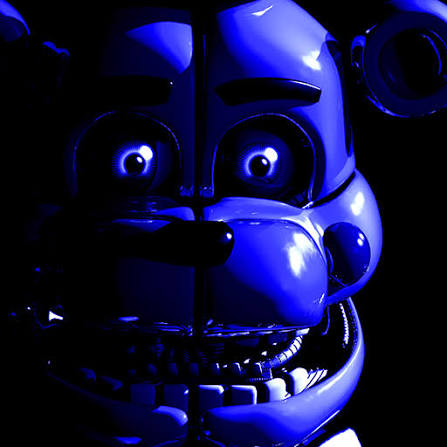
FNAF 5: Sister Location is a browser horror adaptation built around a sequence of animatronic maintenance tasks. A new game begins in an elevator, where a yellow keypad and recorded instructions introduce the shift. You then crawl through vents and work at control panels for Ballora, Funtime Foxy, and Circus Baby. The opening checks use separate light and shock buttons, with each action becoming available as the instructions advance. Later scenes change the demands: Ballora's music tells you when to stop crawling, Funtime Freddy interrupts your work in the Breaker Room, and the darkness in Funtime Auditorium makes the flash useful for checking your path. Each room has its own procedure, so listening, watching the controls, and releasing a movement key at the right moment all matter.
How to Play FNAF 5: Sister Location
Begin by letting the opening animation reach the menu, then click New Game. The introduction takes about 40 seconds in this version. In the elevator, interact with the yellow keypad when prompted and listen through the recorded instructions. Once the vent route opens, hold W to crawl forward. Click inside the game first so the keyboard input reaches the player. At the first control station, follow the light and shock checks for Ballora and Funtime Foxy. Use the light to inspect the stage, then use the shock control when that step becomes available. Check the stage again as instructed. The switches are enabled in sequence, so give the dialogue and inspection animation time to finish between actions. Circus Control uses the same light-and-shock pattern for Baby. On the first night, use the light again after the third Baby shock to complete that inspection. In Ballora Gallery, W moves you forward while the music rises and falls. Release W as the music becomes loud and wait for it to fade before continuing. Moving during the loud danger period can end the attempt. Make progress in separate stretches, keeping your finger ready to release the key. This is a section where the sound directly affects your next action. In the Breaker Room, use the restart display to select its three restart entries. Work through them one at a time and let each progress sequence finish. Press Space to play the mascot response audio while managing Funtime Freddy. Let the response play through, then reassess the room before continuing with the next restart. Bringing all three entries online advances the task. In Funtime Auditorium, W advances through the room and Space activates the flash when it is available. Use the flash to inspect the darkness before committing to another stretch of movement. If Funtime Foxy is visible, release W and wait for the encounter to clear. Moving while Foxy is active can trigger Game Over. Completing the crossing takes you into Parts and Service, where the next set of instructions begins.
Game Controls
Mouse / Left Click - Select menu options, interact with the elevator keypad, and operate light, shock, and restart controls. W - Crawl forward through vents, Ballora Gallery, and Funtime Auditorium. Space - Play mascot response audio in the Breaker Room; activate the flash in Funtime Auditorium when available. Release W - Stop advancing during the Ballora and Foxy encounters.
Tips for FNAF 5: Sister Location
- Give the opening animation time to finish before restarting the page. The menu follows that sequence, and a fresh New Game begins with the elevator rather than immediately placing you at an animatronic control panel.
- Keep the music and spoken instructions audible. In Ballora Gallery, the changing music volume is a movement cue; waiting until it fades gives you a better opportunity to continue crawling.
- Mouse movement shifts the viewpoint in the vents and gallery. Use it to adjust what you can see while controlling forward travel with W, and release W before stopping to study the scene.
- Watch the restart progress in the Breaker Room. Only one restart runs at a time, so wait for the current entry to finish before selecting another and keep the mascot response audio available between tasks.
- Release held keys when a room changes. Space has different jobs in the Breaker Room and Funtime Auditorium, and holding W into a dangerous movement phase can cost the attempt.
Why We Recommend This Game
This adaptation suits players who enjoy directed tasks under pressure. Its tension comes from changes in what the room demands: checking a stage, waiting for music to fade, bringing restart entries online, or inspecting darkness with a flash. Ballora's audio cue and the different uses of Space give the later rooms their own rhythm. Learning those cues makes the sequence easier to read and gives each successful crossing or completed inspection a clear purpose.
Comments
New comments are closed.