
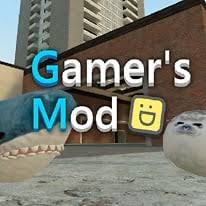
Play Gamer's Mod online free. Explore 3D sandbox maps, spawn props and characters, and use physics tools to build, move, and experiment with objects.
How to Play Gamer's Mod
Gamer's Mod is a first-person physics sandbox where you can explore 3D maps, spawn props and characters, and arrange your own scenes. Start in Sandbox, choose a map, and press Q to browse the spawn menu. Add a few objects while you learn the controls. With the physics gun equipped, aim at a prop and hold the left mouse button to pick it up. Scroll the mouse wheel to move it closer or farther away, use E to rotate it, and press the right mouse button to freeze it in place. Try positioning and stacking a few props before building a larger scene. Press V to fly in Sandbox and view your scene from different angles. When you want to try another mode, the main menu also offers Zombies, Nextbots, Fear, Cubes, and Knives. These keyboard controls apply to Keyboard/mouse mode. If you see an on-screen joystick, you are using Touch control. Choose Keyboard/mouse at the control selection screen for WASD movement.
Game Controls
WASD - Move Mouse - Look around Space - Jump Shift - Run Z - Crouch Q - Spawn menu in Sandbox E - Use / Rotate a held prop R - Reload 1-6 - Select weapon group Left mouse button - Primary action / Confirm weapon Right mouse button - Secondary action / Freeze a held prop Mouse wheel - Adjust held prop distance V - Fly in Sandbox C - Player model Esc - Pause
Tips for Gamer's Mod
- On a computer, choose Keyboard/mouse on the left at the control selection screen.
- Click inside the game before using WASD or other keyboard controls.
- Freeze props after positioning them to make stacking and building easier.
- Spawn a few objects at a time while you learn how the physics gun works.
Why We Recommend This Game
Explore 3D maps, spawn props, and use a physics gun to build and experiment in an open-ended sandbox.
Comments