
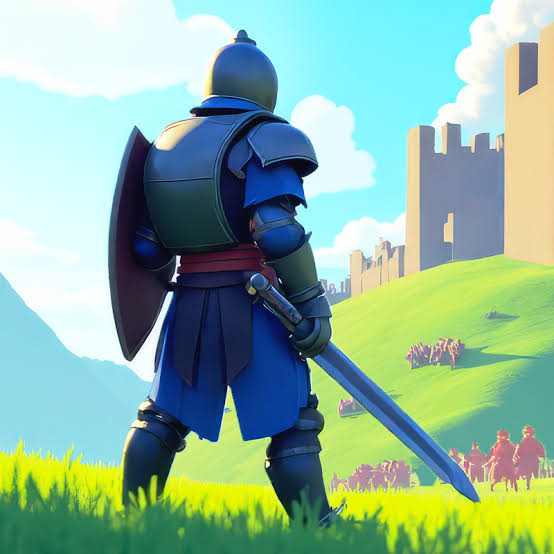
Play War The Knights online free. Choose a faction, capture objectives, switch weapons, use gadgets, ride horses, and fight in large medieval battles.
How to Play War The Knights
War The Knights is a third-person medieval battle game with customizable large-scale matches. Before fighting, choose the two factions, set the number and balance of warriors, select a map, and adjust the respawn duration and number of revivals. The game recommends 40 to 60 warriors for a full battle. In Conquest mode, choose which faction to join, select an available spawn point, prepare your loadout, and enter the battle. Work with allied soldiers to capture and hold objectives A through D. The bars at the top of the screen track each faction's progress, so defend captured positions instead of chasing every enemy across the map. Use W, A, S, and D to move and the mouse to look around. Left-click to attack; right-click to protect yourself with a melee weapon or aim a ranged weapon. Press 1 or 2 to switch between main weapons and 3 or 4 to select gadgets. Press E to interact with horses and weapons, G to throw a melee weapon, F to kick, Z to crouch, and R to perform a battle cry. You can also use the middle mouse button to throw the equipped throwable item.
Game Controls
W / A / S / D - Move Mouse - Look around Left Mouse Button - Attack Right Mouse Button - Protect with a melee weapon or aim a ranged weapon Middle Mouse Button - Throw E - Interact with a horse or weapon 1 / 2 - Select main weapons 3 / 4 - Select gadgets G - Throw the equipped melee weapon F - Kick Z - Crouch R - Battle cry F3 - Hide or show the interface
Tips for War The Knights
- Stay near allied warriors when attacking a contested objective; fighting alone makes it easy for the enemy faction to surround you.
- Use 1 and 2 to switch between your main weapons as the distance to the enemy changes, then use right-click to block or aim.
- Press E near a horse for faster travel between distant objectives or near a dropped weapon when you want to change equipment.
- Use 3 and 4 to prepare gadgets before pushing into a crowded capture point.
- Throw a melee weapon with G when an enemy is out of reach, but be ready to switch weapons or pick up another one afterward.
- Watch objectives A through D and defend captured positions; Conquest is decided by map control, not only by individual defeats.
- Start with the recommended 40 to 60 warriors, then reduce the army size if you want a lighter or faster match.
Why We Recommend This Game
War The Knights combines hands-on third-person combat with customizable mass battles. Multiple factions, selectable maps, Conquest objectives, weapon switching, gadgets, throwable melee weapons, horses, and adjustable army sizes make each match easy to remix.
Comments